
Exhibitor guide
QR Codes on Exhibition Stands: Give Visitors a Useful Next Step
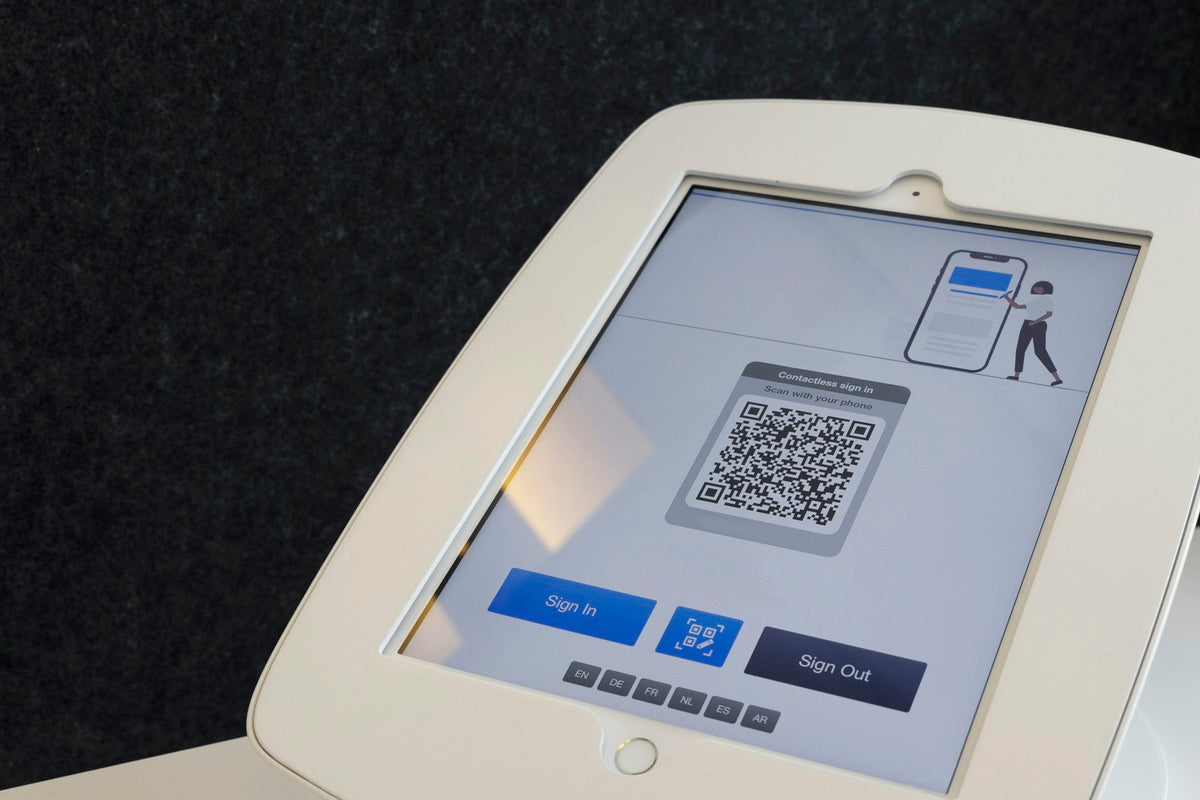
A QR code can take a visitor from a conversation to the information they need in seconds. It can also send them to a home page where they have to start searching again. The small square on the graphic is only the doorway. What happens after the scan is the part worth planning.
Choose one job for each code
Decide whether the code should open a product guide, book a demonstration, show a case study or help someone request a quote. Pick the action that fits the conversation happening beside it. A code next to a demonstration should lead to the demonstrated product, rather than a general contact page. If you need several destinations, give each a distinct purpose and label it clearly.
Write the reason to scan
"Scan me" asks for an action without explaining the benefit. "Download the installation checklist" tells someone what they will get. Use wording that matches the destination page so visitors know they have arrived in the right place. Keep the promise specific and honest. If the next step is a form rather than an immediate download, make that clear before someone takes out their phone.
Build the destination for a phone
Open the page on a normal mobile connection and check the complete journey. Can a visitor read it without pinching and zooming? Is the main action easy to find? Does a download open properly? Remove unnecessary steps between the scan and the promised information. A large desktop presentation or a page that requires an unfamiliar login can interrupt an otherwise straightforward conversation.
Test the printed version
Print a sample at the intended size and test it from the distance a visitor will actually use it. Check several phones, different angles and the lighting you expect around the display. Keep the code clear of folds, joins and heavily curved areas. Allow the clear space the code needs around its edges. Do not assume a code that works on your monitor will work equally well on fabric across a busy counter.
Keep a readable alternative beside it
Include a short web address or another practical route to the same information. Some visitors will prefer to take a photo and look later; others will have a flat battery or a phone that struggles with the scan. Staff should know how to open the page themselves. Treat the code as one way to help someone continue, rather than a requirement for having a useful conversation.
Own the link after the show
Keep the destination available after the event and assign someone to check it before the display is reused. If you use a redirect service, confirm who controls the account and whether the link depends on a paid plan. Review scan activity alongside real enquiries; a scan by itself does not tell you whether someone became a customer. Update the destination before changing the printed graphic whenever that is practical.
Adding QR codes to a counter or backdrop? Send us your layout and intended destination so we can help give the code a useful place in the stand.
Photo by Vizito Visitor Management on Unsplash.
Plan your booth
Make your next expo count.
Choose a booth you like. We’ll help make it yours.
Exhibitor guide
One Exhibition Kit, Different Stand Sizes: Plan the Layouts Before You Buy
Check your smallest and largest booked spaces together, then build a clear component and packing plan for each version of the stand.
Read the guide ↗
Exhibitor guide
Sharing an Exhibition Stand With a Partner: What to Agree First
Keep a shared stand clear and workable by agreeing on the visitor story, brand hierarchy, responsibilities and enquiry handover before design begins.
Read the guide ↗
Exhibitor guide
An Exhibition Photography Shot List You Can Actually Use Afterwards
Plan the pictures your website, sales team and next event brief will need, instead of coming home with fifty versions of the same wide...
Read the guide ↗